
Check Your PMAY 2.0 Application Status
Track your housing subsidy progress online without visiting any government office.
If you have successfully completed your application for the PMAY Urban 2.0 scheme via our PMAY 2.0 complete guide, the next step is monitoring its progress. The Ministry of Housing and Urban Affairs provides a dedicated portal to perform a quick PMAY 2.0 status check. This helps you know exactly whether your file is pending verification, approved by the local body, or ready for subsidy disbursement.
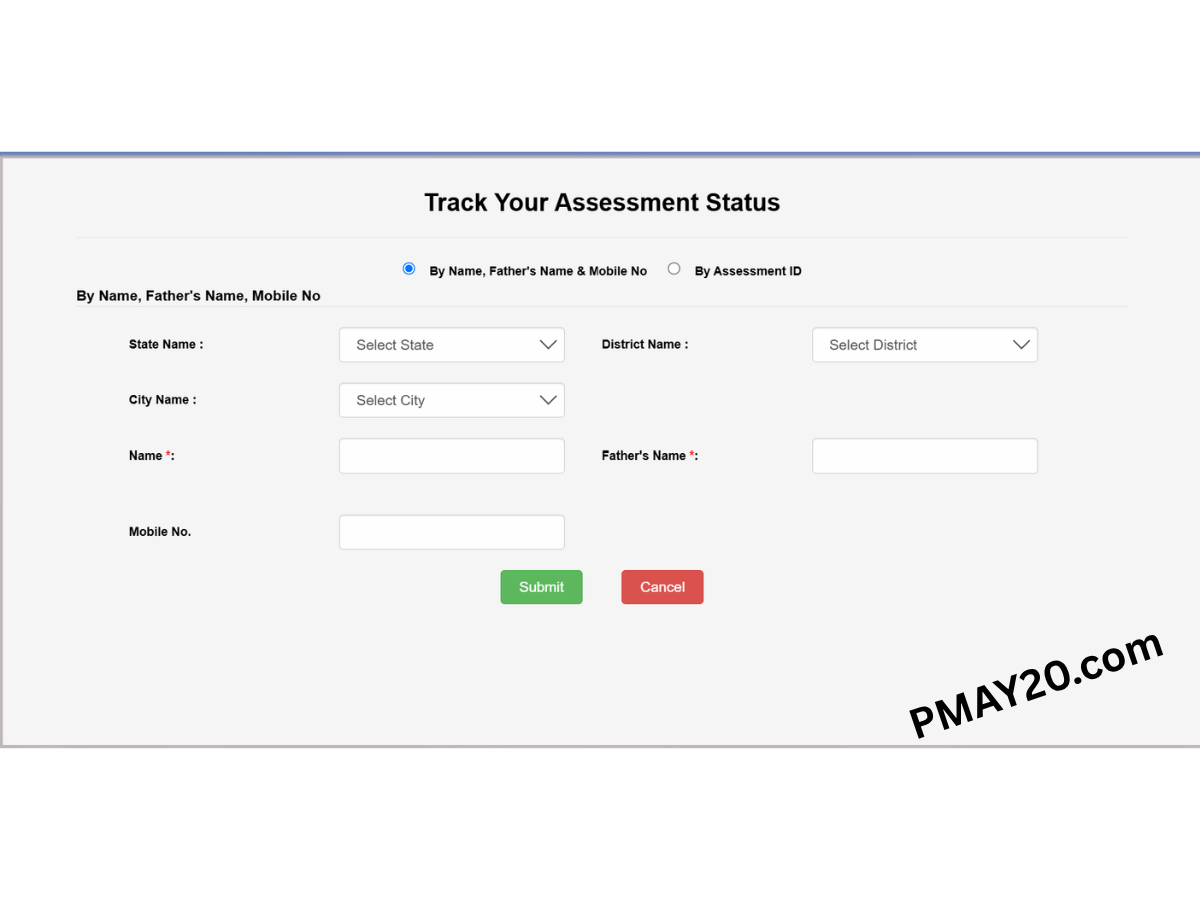
How to Complete Your PMAY 2.0 Track Application Process
There are two official methods to view your PMAY 2.0 application status. You can choose whichever method is most convenient based on the details you currently have saved.
Method 1: PMAY 2.0 Status By Application ID (Fastest)
When you submitted your form, you received an Assessment ID via SMS. Using this ID is the most accurate way to retrieve your PMAY 2.0 beneficiary status.
- Visit the official tracking dashboard at pmaymis.gov.in.
- Select the option that says “By Assessment ID”.
- Carefully enter your Assessment ID along with your registered Mobile Number.
- Click on the ‘Submit’ button to instantly view your real-time pmay urban 2.0 status.
Method 2: PMAY 2.0 Track Status Using Personal Details
Did you lose or forget your Assessment ID? Don’t worry. You can still perform a PMAY 2.0 urban status check using your basic registration details.
- Go back to the Track Assessment Status page.
- Choose the second option: “By Name, Father’s Name & Mobile No”.
- Select your State, District, and City from the dropdown menus.
- Enter your exact Name, Father’s Name, and the Mobile Number you used during registration.
- Click ‘Submit’ to find your file and complete the PMAY 2.0 track process.
Common Questions About Tracking
What about a PMAY 2.0 Status Check with Aadhar?
Many applicants want to know if they can use their 12-digit Aadhaar number directly to track their file. Currently, a direct standalone PMAY 2.0 status check with aadhar button is being optimized on the urban portal. For the fastest results today, the system relies on your Assessment ID or your Name combined with your registered mobile number. Alternatively, you can complete a secure PMAY 2.0 login to view your full profile and Aadhaar verification status.
Why does my PMAY U 2.0 status say “Pending”?
If you recently applied, your pmay u 2.0 file will be sent to your Urban Local Body (ULB) or municipal corporation for physical and document verification. It is completely normal for the status to show as “Pending” for a few weeks while officials review your specific PMAY 2.0 eligibility criteria to confirm your category brackets.